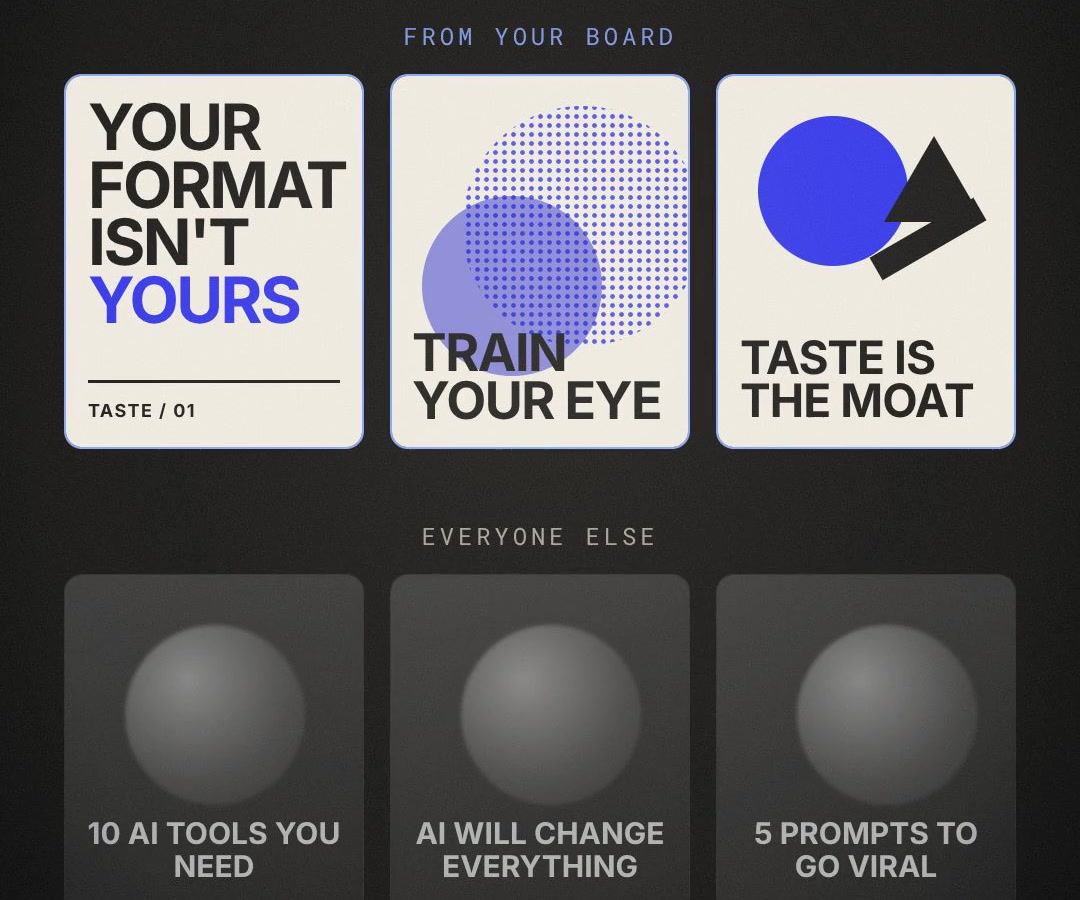
Train your eye on Pinterest, turn it into a style card, and give it to AI. So what it makes looks like you, not like everyone else.
01 · Why
Your format isn't yours anymore
The second a format works, someone screenshots it, drops it into AI, and posts their own version the same day. Hooks, layouts, carousel structures: all of it can be copied now.
What AI can't copy is what you would pick. Which grid, which font, which crop, which color you'd never use. That's taste. Without it, AI gives you the average of everything it has seen, which is why so much AI content looks the same.
Taste isn't a gift. It's a trained eye. The fastest gym for it is Pinterest, because every search is a wall of real design work you can sort, save and study.
02 · Keywords
30 Pinterest searches, by job
Search them exactly as written. Open a pin you like, then scroll down to "More to explore": that's where Pinterest shows you the next layer of the same style.
Carousel covers and slides
Layouts that make a slide read in one glance.
01swiss poster
Strict grids and huge type. The fastest way to make a cover look designed.
02editorial layout
Magazine spreads. Makes a text-heavy slide look expensive.
03magazine cover design
One image, one headline, a few small lines. A cover formula that has worked for 100 years.
04typographic poster
Posters where the words are the picture. For slides with no image.
05bento grid layout
Boxes of different sizes in one grid. For comparison and "5 things" slides.
06brutalist graphic design
Raw, loud, off-grid on purpose. For a cover that breaks the feed pattern.
Type
Most AI content uses one font at one size. Type is where taste shows first.
07condensed type poster
Tall, narrow letters. Fits a long hook on one line.
08serif editorial typography
Elegant serifs for a calmer, premium voice.
09oversized type layout
One word filling the frame. For a single-idea slide.
10monospace layout
Typewriter type and code feel. Good for tech and AI topics.
11hand drawn lettering
Human marks next to clean type. Instantly reads as not-AI.
12kinetic typography
Type in motion. Ideas for captions and animated titles.
03 · Board
The board method
Saving everything trains nothing. A board is only useful when it forces choices.
One board per format. Carousel covers, thumbnails, b-roll. Mixing them blurs the style.
20 pins max. To add one, delete one. The limit is what makes it yours.
Mix at least three searches. One genre is copying one look. Three is a style nobody else has.
Only save what you'd post with your name on it. Not what's trending, not what's pretty. What you'd make.
Skip AI renders. Save real design work and real photos. AI images on your board teach AI to copy AI.
Proof · Before and after
Same AI, different eye
Top: slides built from one 20-pin board (Swiss poster, risograph, Bauhaus), in our own palette. Bottom: the generic AI look: glossy blob, centered title, the same as everyone's.
02 · Keywords, continued
Keywords 13 to 30
Color and texture
Flat digital color is the AI default. Texture makes it feel made.
13risograph print
Grainy two-color overprint. Texture almost nobody uses.
14duotone poster
A photo in two colors. Turns any image into your brand colors.
15halftone texture
Print dots. Adds depth to flat shapes and backgrounds.
16grainy gradient
Soft color with noise. A background that is not a plain fill.
17muted color palette
Low-saturation sets. For a calm, premium feed.
18paper collage art
Cut paper and scans. For covers that feel handmade.
B-roll and thumbnails
Frames worth stopping on, for video and for covers.
19film still
Cinematic frames. Shot ideas for b-roll and thumbnails.
20cinematic color grading
Before and after grades. Pick one look and keep it.
2135mm film photography
Grain, soft contrast, real light. For lifestyle shots.
22direct flash photography
Hard flash, deep shadows. Stops the scroll at night.
23moody interior photography
Desk, window, lamp. Setups for talking-head backgrounds.
24top down flat lay
Objects from above. Product and workspace b-roll.
Shapes and illustration
When there is no photo, shapes carry the idea.
25bauhaus
Simple shapes and bold color that stop the scroll.
26japanese graphic design
Dense, clean and weirdly calm. Masterclass in balance.
27mid century modern illustration
Warm, flat, friendly. For explainer graphics.
28memphis design
Playful shapes and patterns. For a lighter brand.
29minimal line art
One hairline drawing. For diagrams that do not look like clip art.
30isometric illustration
Little 3D worlds. For showing a process or a system.
04 · Style card
Board to AI: the style card
A board is for your eye. AI needs words. So you turn the board into a style card once, and every post after that starts from it.
Open the board and save 8 to 10 pins that best show the style.
Upload them to Claude or ChatGPT with this prompt:
These images are references for my visual style. Write a style card I can reuse for every post:

1. Palette: 4 to 6 hex codes, and what each one is used for (background, text, accent).
2. Type: the headline and body type you see. Name the closest free fonts, the sizes relative to each other, and the case.
3. Layout: the grid, margins, alignment, and how much empty space there is.
4. Texture and finish: grain, print effects, photo style, edges.
5. Never: 5 things this style never does.
6. One paragraph that describes this style for an image model.

Only describe what is in the images. Don't invent anything.
Read the card and fix anything that isn't you. Then save it as style.md.
Every time you make something, attach style.md (or keep it in your Brand Brain folder) and ask like this:
Make the cover and 6 slides for this carousel. Follow style.md exactly:
palette, type, layout, texture, and the "never" list.

Topic: [your topic]
Hook: [your hook]

Before you finish, check every slide against style.md and fix anything that breaks it.
For image models, paste the last paragraph of the card into the prompt and attach 2 or 3 pins as references.
05 · Drill
The 10-minute taste drill
Taste is a habit, not a one-time board. Ten minutes a day, before you make anything:
3 min
Search one keyword you have never searched. Scroll, don’t save yet.
3 min
Save 5 pins to a board. Then delete 2 older ones. The board never grows past 20.
2 min
Pick one pin and write one line: "I saved this because..." If you can’t finish the sentence, delete it.
2 min
Steal one move into today’s post: a crop, a grid, a color, a type size. Just one.
Once a week, put your last 5 posts next to your board. Where they don't match, the post is the problem, not the board. Update style.md when your eye changes.
Want this set up for your business?
We turn these workflows into working marketing and sales systems.